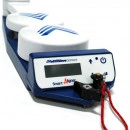
Multiwave Smart Aligner System
Antenna Alignment System
Product description
The Smart Aligner is the smallest and most powerful Antenna Alignment Tool on the market. Compact design, exceptional performance, multiple configurations and smart phone enabled makes it the smartest choice for aligning your antennas.
The incorporated GPS technology and sophisticated sensors calculate Azimuth, Tilt, Roll, Location and AGL of an antenna under the most demanding conditions.
Smart Design
Foldable GPS Antenna Alignment Tool
Tool and Bracket fit into optional ruggedized carrying case
Easy to travel with, carry and transport
Fits into provided Tool Bag for easy transport up the tower
Weighs only 8 pounds (Tool & Bracket)
Smart Performance
Typical 0.5o degree Azimuth accuracy
Tilt and Roll accuracy of 0.2o
Enhanced RF shielding
GLONASS enabled for increased performance
Fast acquisition time
Smart Configuration.
Universal Mounting Bracket
18 antenna mounting positions for the most demanding spatial and RF conditions
Automatically calculates Azimuth, Tilt and Roll offsets for any configuration
Most antennas can be aligned without additional brackets
Optional inserts for Ericsson AIR antennas. Custom inserts available for other types of antennas
Technical Specifications
PERFORMANCEAzimuth accuracy: 0.5oTilt and Roll accuracy: 0.2oPosition accuracy: 60 cm with SBASStart up time: < 30 seconds
POWERInternal battery: Rechargeable lithium ionOperation time: >10 hrs (over 100 alignments)Battery charger: AC wall charger and DC car charger
PHYSICALSmart Aligner Tool (patented)Dimensions: 19″ x 4.5″ x 3″ (48.3 cm x 11.4 cm x 7.6 cm)Weight: 4 lb (1.8 kg)Universal Mounting Bracket (patented)Dimensions: 19″ x 5″ x 3″ (48.3 cm x 12.7 cm x 7.6 cm)Weight: 4 lb (1.8 kg)Tool BagHeavy Duty Tool Bag with connection points for carrying the Smart Aligner ToolRuggedized Carrying CaseDimensions: 21″ x 16″ x 8.5″ (53.3 cm x 40.6 cm x 21.6 cm)Weight: 12 lb (5.4 kg)TOTAL WEIGHT 20 lb (9.1 kg)
COMMUNICATION PORTSLED backlit display: User interface and displayWireless to user’s mobile deviceConnectivity: Smartphone/Tablet – iOS or AndroidCable interface: Serial RS-232
ON BOARD STORAGESave alignment results on ToolPlayback alignment results to App and create Reports
REPORTINGReport formats: JPEG (screenshot), PDF or CSVPhotos: Embedded in PDF reportPhotos can also be used as a backup, by taking a picture of the User Display.Photos are date and time stampedOther and Custom Report types available (contact for details)
OPTIONS– AIR21 Insert– AIR32 Insert– GoGo Bracket– Carrying Case– Laser Rangefinder for AGL– Dish Bracket System– Line of Sight Alignment Bracket– RF Elements Mounting Bracket– Nokia FASB Insert– Dish Adapter
ENVIRONMENTALOperational temp: -22 ℉ to +158 ℉ (-30 ℃ to + 70 ℃)Sealing: NEMA 4X, IP63Shock/vibration: IEC 68-2-27 / IEC 68-2-6EMI: FCC Part 15 Subpart B: 2008 and ICES-003:2004
MOUNTING CONFIGURATIONS TO ANTENNAMultiple offset positions from bracket: forward, side, backwards on left or right side of antennaMultiple arm positions: user can orientate the arms according to physical limitationsIntelligent configuration detection: Automatically calculates Azimuth, Tilt and Roll offsetsNumber of mounting configurations: 18
MODES OF USE (Smart Aligner App)Quick measure: real time display of antenna orientation information with option to save a screenshot of the dataSite survey: set up of site and antenna informationAlign antenna: real time display of antenna orientation information with optionto verify the alignmentVerify: verify the alignment – ability to save the alignment information after verificationReport mode: create PDF reports from verified alignments or historically saved sites– automatic attachment to email messageImport profiles: import CSV file with site and antenna informationExport profiles: export completed CSV file with appended measured alignment information– automatic attachment to email messageTone Align: Audio cue for easier alignment. High pitch beep when at target azimuthManual Tilt/Roll: enter Tilt and Roll manually if required to use another measurement instrument
MICROWAVE AZIMUTH PATH CALCULATORCalculate azimuth required for aiming to transmitter/receiver radio
Training Courses
Introductory Course (Recommended to read first)
Advanced Tool Course (Recommended to read second)
Advanced App Course (Recommended to read third)
AGL Measurements Course
Aligning Microwave Dishes Course
Universal Bracket and Inserts Course
Custom Brackets Course
Miscellaneous Options Course
Troubleshooting and Tips Course